Scheduled FP&A reports that post to Slack automatically
How to get scheduled FP&A reports posting to Slack automatically: the three routes, the setup order, and the refresh limits that quietly make reports stale.
By the Wopie team · November 13, 2026 · 8 min read
Listen to the summary· 2 min
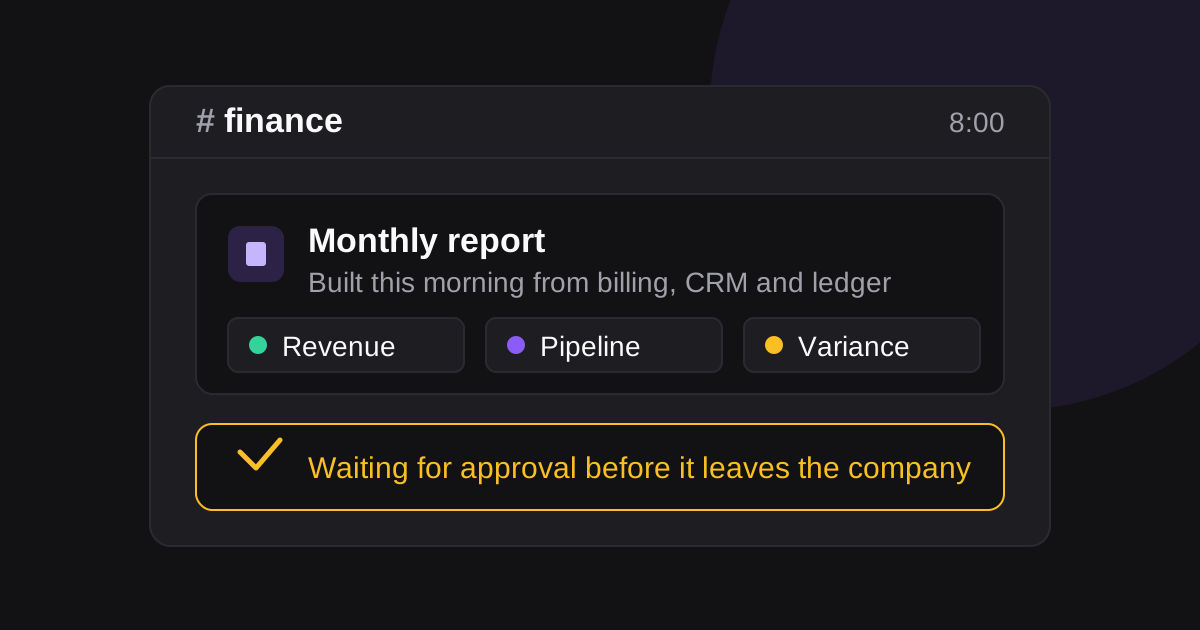
If you want scheduled FP&A reports that post to Slack automatically, there are three honest routes: schedule the message itself, let your BI or accounting tool push on its own timetable, or put an agent in the channel that builds the report when it is due. Which one fits depends on whether the report is one number or forty, and whether anyone needs to approve it before it travels.
The reason this keeps coming up is that the work has not moved. The 2025 FP&A Trends benchmarks put 46 percent of FP&A time on data collection and validation rather than analysis [1]. A report that assembles itself and lands where people already are does not fix the underlying data problem, but it does stop the weekly scramble to pull the same numbers into the same template.
This is a guide to doing it properly: the three routes and what each costs you, the setup in order, and the four ways these reports quietly go wrong once nobody is watching them.
What "scheduled" has to mean for a finance report
A scheduled message and a scheduled report are not the same thing. The message is the easy half.
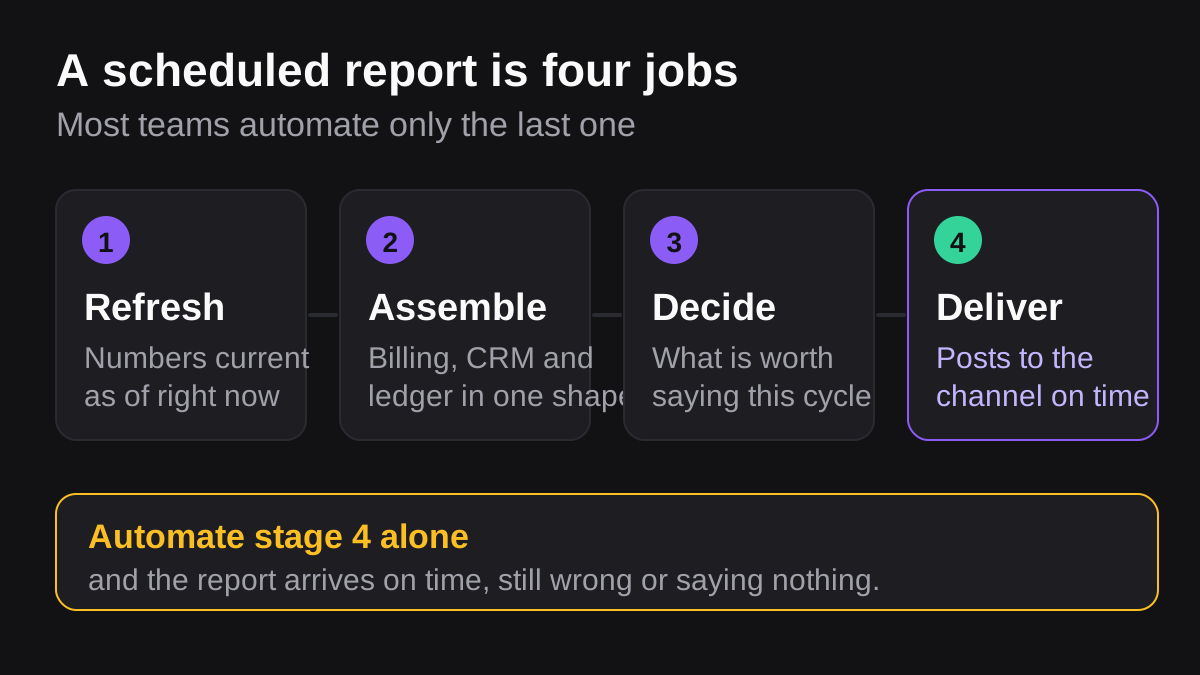
A finance report that posts on a timetable has four moving parts, and the schedule is the last of them:
- A refresh. The numbers have to be current as of the moment the report is built, not as of the last time someone opened the dashboard.
- An assembly step. Figures from more than one system get pulled into one shape: revenue from billing, pipeline from the CRM, costs from the ledger.
- A judgement. Something decides what is worth saying. A flat month and a month with a 20 percent variance should not produce the same three sentences.
- A delivery. The finished thing lands somewhere people will see it, with enough context that nobody has to open a separate tool to understand it.
Most teams automate the fourth and leave the first three to a person. That is why the report arrives on time and is still wrong, or arrives on time and says nothing. If you are deciding where to start, our guide to automating recurring reports in Slack covers the general pattern; this post is about the finance-specific parts.
Three ways to get an FP&A report into Slack on a schedule
| Route | Good for | What it costs you |
|---|---|---|
| Schedule the message | A fixed line on a fixed day, such as a reminder that close starts Monday | It posts whatever it was given, including stale or missing numbers |
| BI or accounting connector | A dashboard snapshot or a saved report your tool already produces | You get the tool's view, on the tool's timetable, in the tool's format |
| An agent in the channel | Reports that combine systems, or need a comment on what moved | Setup is a conversation rather than a form, and sensitive sends need an approval step |
Schedule the message
Slack can hold a message and post it later. The API method takes a channel and a post_at timestamp, needs only the chat:write scope, and will hold a message for up to 120 days ahead [2]. Past that it returns time_too_far. There is also a cap of 30 messages scheduled into the same channel inside any five-minute window [2], which matters if you are fanning out one report per cost centre.
For a recurring job, scheduled triggers are the better fit: they run once, hourly, daily, weekly, monthly or yearly from a start_time, and they are explicitly not interactive [3]. That last point is easy to miss. A scheduled trigger can post a report, but it cannot ask you a question and wait.
Let the tool push
Most BI and accounting tools will post to a channel on their own schedule, and for a single dashboard that is the shortest path. The limit is the tool's refresh, not the message.
Power BI is a useful example because the numbers are published. On Pro you get up to 8 scheduled refreshes a day, and on Premium per user or Fabric capacity up to 48 [4]. Microsoft also says the refresh is only targeted to start within 15 minutes of its slot, and can be delayed by up to an hour if resources are not free [4]. So a report scheduled for 8:00 can legitimately be built from data that arrived at 9:00, or from yesterday's data if the window was missed.
Put an agent in the channel
The third route is to let something assemble the report where it will be read. This is what Wopie does: it takes a job in a Slack or Teams channel, reads the tools you connect, produces the finished work, and pauses anything sensitive for a person to approve. The report is built when it is due rather than queued in advance, so a failed refresh can be reported instead of silently posting an empty table.
The trade-off is that you are trusting a system to decide what is worth saying. That is fine for an internal summary and not fine for something going to a board or a lender without a human reading it first.
How to set one up, step by step
- Write the report by hand once. If you cannot say in one paragraph what the report is for and who acts on it, automating it will just make a useless artifact arrive faster.
- Name the numbers and their source of truth. Revenue from the billing system, not the CRM. Headcount from the HR system, not the last board deck. Write the source next to each figure.
- Fix the refresh before the schedule. Find out when each source actually updates and set the report to run after that, with margin. If a source refreshes at 7:00 give or take an hour, do not schedule the report for 7:30.
- Choose the channel, not the inbox. Put it where the people who own the numbers already are, so a question about a variance is asked in public and answered once.
- Decide what needs approval. An internal summary can post straight through. Anything leaving the company, or anything that moves money, should wait for a named person. Our security page sets out how approval gates and the audit trail work.
- Run it manually for two cycles. Watch what it produces before anyone relies on it. Two weeks of a weekly report, or one full month-end.
- Then schedule it, and keep the run log. A posted message tells you what was said. The run log tells you which query produced it.
Where scheduled FP&A reports go wrong
The report posts, the data did not refresh. This is the most common failure and the hardest to notice, because the message looks the same either way. Power BI will deactivate a refresh schedule entirely after four consecutive failures, and will pause one after two months without anyone opening the report [4]. If your report draws on a dashboard nobody visits, it can quietly stop being updated while the message keeps arriving.
Nobody owns it. A scheduled report with no named owner gets ignored within a month. The fix is not technical: put a person's name on it and have them respond in the thread, even if the response is "nothing moved".
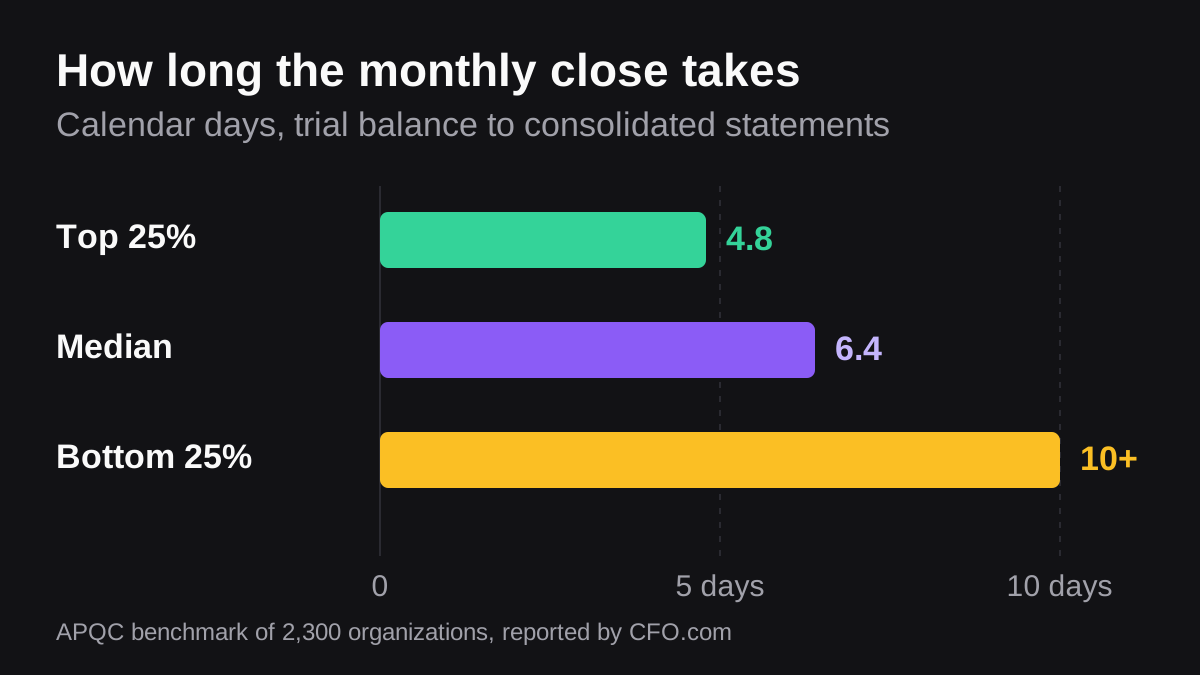
It arrives before the numbers are final. Month-end is a range, not a date. APQC's benchmark of 2,300 organizations put the cycle from trial balance to consolidated statements at 4.8 calendar days or less for top performers, 6.4 at the median, and 10 or more for the bottom quartile [5]. If your close takes six days and the report posts on day three, you have automated the distribution of provisional figures. Our post on speeding up month-end close covers the sequencing.
It says the same thing every time. A report that reads identically whether the month was good or bad trains people to skip it. Whatever builds it needs to vary the commentary, or at minimum flag the variances that crossed a threshold.
It fans out until nobody reads any of it. Once one report works, the temptation is to give every department its own, every week. Slack's cap of 30 scheduled messages into one channel inside a five-minute window [2] is a technical limit, but the practical limit arrives long before that. Two reports a week that people act on beat nine that they mute.
How much of this should you automate at all
Automation earns its keep where the work is identical every cycle and the judgement is small. Pulling the same six figures from the same four systems is identical every cycle. Explaining why the gross margin moved three points is not, and a system that invents a confident explanation for that is worse than silence.
A reasonable split: automate the gathering and the formatting, automate the detection of anything that crossed a threshold you set, and leave the explanation to the person who owns the number. That keeps the thing that takes two hours and gives back the thing that takes ten minutes but needs a brain. It also means the report fails safely. A missing figure shows up as missing rather than as a plausible guess.
What to do next
Before you automate anything, check these five:
- The report has one named owner who answers questions in the thread.
- Every figure has a stated source system, and you know when that system refreshes.
- The schedule sits after the refresh window, with margin for the delay your tool admits to.
- The job reports a failed or skipped refresh instead of posting an empty table.
- Anything that leaves the company waits for a person to approve it.
Start with one report, not the whole pack. The weekly revenue and pipeline summary is usually the right first candidate: it is short, people already ask for it, and nothing breaks if it is wrong for one week while you tune it. Month-end packs are the worst first candidate, because the thing you most want to automate is also the thing with the least tolerance for a provisional number.
If your finance work already lives in Slack or Microsoft Teams, the shortest path is usually to automate the delivery of a report you already trust, then work backwards through the assembly and the refresh. Doing it the other way round means building a pipeline before you know whether anyone reads the output.
This is general information about reporting practice, not accounting or financial advice.
Bring Wopie onto your team.
It owns the recurring work and checks with you before anything goes out. Your first $100 of work is on us.
Hire for freeSources
- [1]2025 FP&A Benchmarks: Where We Are, Where Leaders Are Going · FP&A Trends Group · accessed Nov 13, 2026
- [2]chat.scheduleMessage API method · Slack · accessed Nov 13, 2026
- [3]Creating scheduled triggers · Slack · accessed Nov 13, 2026
- [4]Configure scheduled refresh - Power BI · Microsoft Learn · accessed Nov 13, 2026
- [5]Metric of the Month: Cycle Time for Monthly Close · CFO.com · accessed Nov 13, 2026