What is the difference between AI and Copilot? A plain guide
The difference between AI and Copilot: AI is the technology, Copilot is a product built on it. See what each Copilot does, and when you need an agent.
By the Wopie team · November 12, 2026 · 10 min read
Listen to the summary· 2 min

The difference between AI and Copilot is the difference between a technology and a product. AI is the broad field, and in everyday work it mostly means large language models that read and write text. Copilot is a family of products, mainly from Microsoft, that put those models inside the tools you already use and connect them to your own files, mail and meetings. So Copilot is a way of using AI, not a rival to it.
That is why the question gets confusing. People say "AI" when they mean ChatGPT, Claude or Gemini. They say "Copilot" when they mean the helper in Word, the chat window at work, a coding tool or a task runner. Microsoft itself says its Copilot experiences differ by data grounding, integration depth and licensing, and that all of them are powered by large language models [1].
This guide sorts out the words, shows the different products that carry the Copilot name, explains where an AI agent fits, and gives you a short way to choose. Nothing here is legal, security or licensing advice, so confirm the details of your own plan with your admin.
What does "AI" mean when people compare it with Copilot?
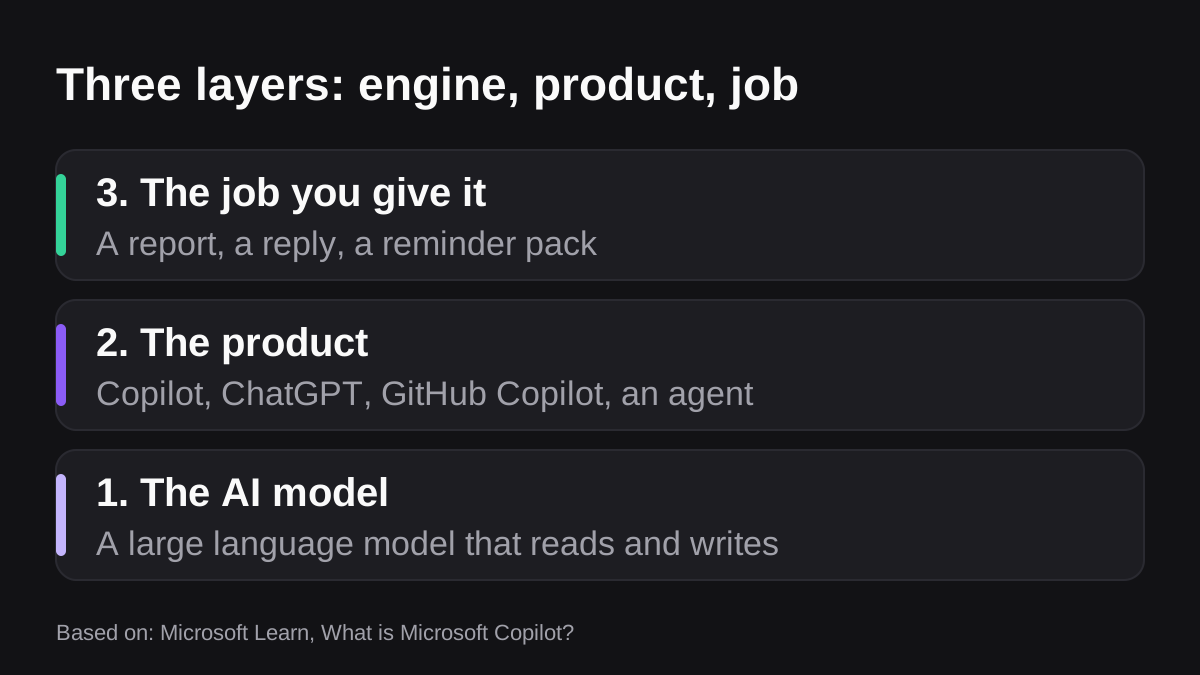
In this comparison, "AI" means the engine: the large language model that predicts and writes text, plus the tools wrapped around it. A model on its own does nothing for your business. It needs a product that feeds it the right context and lets you use the answer.
Microsoft shows how separate the two layers are. It says Copilot offers models tailored to business needs, and that you can choose between them with a model selector, with an Auto mode that picks for you [1]. It also says it offers third-party models in Copilot, such as Anthropic and OpenAI models, and that admins decide whether to use them [2]. The model is swappable. The product around it is what you actually buy and manage.
NIST, the US standards body, treats AI at this wider level. Its AI Risk Management Framework aims to reduce the risks AI poses to people, companies and society, and NIST says organizations adopt it voluntarily [6]. Those risks follow the technology wherever it goes. They apply to a chat window, a Copilot and an agent alike.
What is Microsoft Copilot made of?
Microsoft's own description is an orchestration engine that joins three parts: the language models, the material in Microsoft Graph that your account is allowed to open, and the everyday Microsoft 365 apps [2]. Graph is where your emails, chats and documents live [2].
That is the real difference from a general AI chat tool. A general chatbot knows what you type into it. Copilot, with the right license, also knows what you can see in your own workplace.
Two rules from Microsoft are worth remembering:
- It only shows what you can already open. Copilot surfaces organizational data only where the individual user has at least view permission [2]. Microsoft says to lean on the sharing controls in services such as SharePoint, so access is right before Copilot arrives [2]. An old file with loose sharing can end up quoted in an answer.
- It does not train on your prompts. Microsoft says the foundation models behind Copilot are not trained on your prompts, its responses or the Graph data it reads [2].
What does Copilot do inside the apps?
Microsoft lists the in-app jobs. In Word it drafts, rewrites and summarizes. In Excel it analyzes data and creates formulas and visuals. In Outlook it drafts emails and summarizes threads. In Teams it summarizes and transcribes meetings and captures action items [1]. Each job helps one person finish their own task faster.
Are all Copilots the same product?
No, and this is the part most guides skip. "Copilot" is a brand, and several different products carry it. Some are chat tools, some are task runners, some are build kits, and one is for programmers.
Here is how they differ. Each row makes sense on its own.
| Product | What it is | What it can see |
|---|---|---|
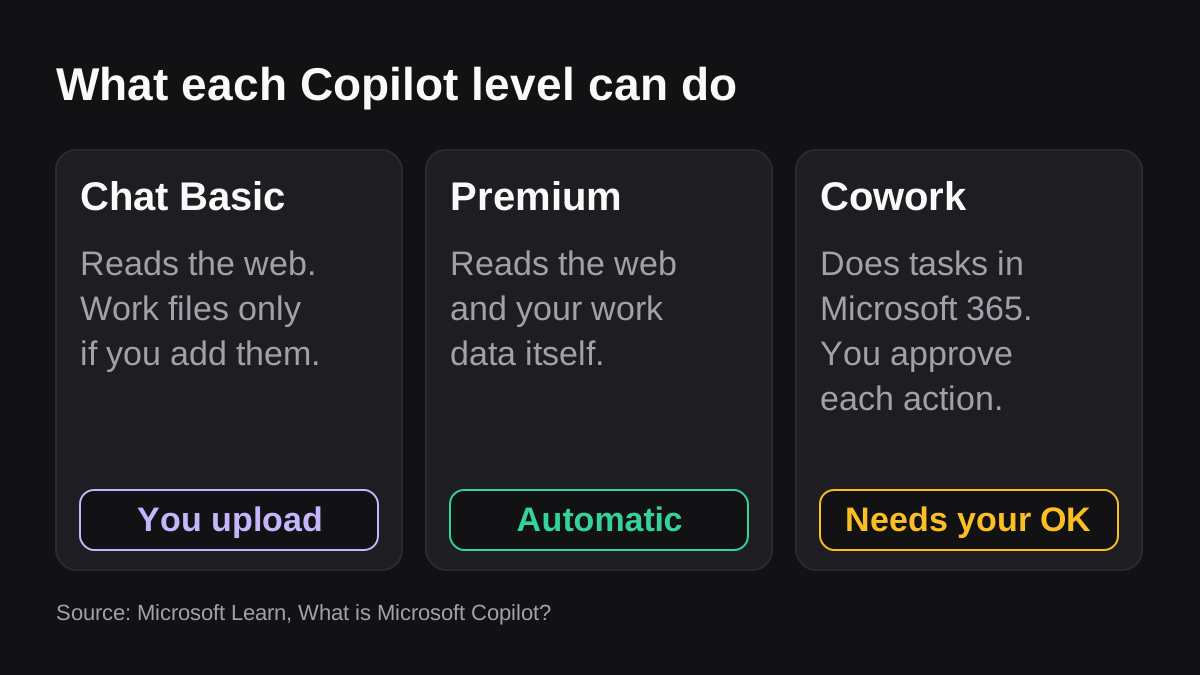
| Copilot Chat (Basic) | A secure chat window that mainly uses web data | Web data. Work content only if you upload it, open it in Teams or Outlook, or use a pay-as-you-go agent [1] |
| Microsoft 365 Copilot (Premium) | The full add-on, built into Word, Excel, PowerPoint, Outlook and Teams | Web data plus your work data, pulled automatically through Microsoft Graph and Work IQ [1] |
| Copilot Cowork | A task runner that does work across Microsoft 365 for you | Your Microsoft 365 environment, billed by usage on top of the Premium license [1][3] |
| GitHub Copilot | An AI assistant for writing, understanding and shipping software | Your code, repositories, issues and pull requests [4] |
| Copilot Studio | A low code tool for building your own agents | Whatever data sources you connect [1] |
Microsoft also lists Security Copilot, for security professionals, as a separate product [1]. The same page says GitHub Copilot, Security Copilot and Copilot Studio are licensed independently and do not need the Microsoft 365 Copilot Premium license [1].
So when someone asks "should we use Copilot?", the useful reply is another question: which one? A chat window with web data, an assistant that reads all your mail and files, and a coding tool are very different purchases with very different risks.
Does the license change what Copilot knows?
Yes. Microsoft's licensing table says the Basic chat works with company content only when you hand it over, while Premium fetches it for you [1]. There is also a switch. With Work IQ on, responses are grounded in web and work data. With it off, responses are not enriched with emails, files, meetings or calendars [1].
If a colleague says "Copilot gave me a useless answer", check which version they used. The basic chat often cannot see the files they assumed it could read. Licensing changes often, so confirm the current terms with Microsoft or your reseller.
What is the difference between a copilot and an AI agent?
A copilot sits beside you while you do the work. An agent takes more of the work off you. The line between them is not clean, but you can see it in two questions: who decides the next step, and who finishes the job?
Anthropic gives a precise version of this split. It says workflows are systems where models and tools are orchestrated through predefined code paths, and agents are systems where the model dynamically directs its own process and tool use [5]. It also warns that agentic systems often trade latency and cost for better task performance, and that agents mean higher costs and the potential for compounding errors [5]. Its advice is to find the simplest solution possible and only add complexity when needed [5].
The Copilot brand now spans both sides of that line:
- In-app Copilot is mostly assistive. You ask, it drafts, you decide.
- Copilot Cowork is more agentic. Microsoft says it carries out tasks across your Microsoft 365 environment, so rather than describing what you could do, it does the work [3].
- GitHub Copilot describes the same range. Its docs group capabilities into assistive and agentic. In the agentic mode you describe a goal, it works through several steps, and you stay responsible for reviewing and approving the results [4].
If you want the longer version of the assistant, agent and automation split, see how AI agents differ from assistants and automation tools.
How do approvals work when Copilot acts?
Once software acts, approvals matter more. Per Microsoft, Cowork stops for a go-ahead before sensitive steps, labels medium and high risk ones, and names the button after the action, such as Send or Post [3]. You can also pause, resume or cancel a task at any time [3].
There is a dropdown to skip future prompts for similar actions [3]. Treat that as a decision for your policy, not a convenience click. Anything external, financial or irreversible should still need a named person's approval.
Microsoft is also clear about accuracy. It says generative AI responses are not guaranteed to be 100% factual and that users should use their judgment when reviewing output before sending it to others [2].
Where does an AI employee fit?
An AI employee sits at the far end of the same spectrum, built for shared team jobs rather than one person's session. Wopie is an example. Wopie lives in a Slack or Teams channel, where you hand it the task. It reads your connected tools, produces finished work such as a weekly report or a pack of reminders, and pauses anything sensitive for human approval.
That is a different shape from in-app Copilot, which helps each person inside Microsoft apps. It does not replace it. Picture a finance lead who uses Copilot in Excel to explore a sheet, then asks the AI employee to assemble the month-end pack from the accounting tool and hold it for sign-off. For a closer comparison, see Microsoft Copilot vs an AI employee and the Teams integration.
How do you choose between a copilot, an agent and plain AI?
Start with the job, not the brand. Work through these steps in order.
- Name the job. Write it as one sentence, for example "send the Monday pipeline brief" or "reword this email".
- Count the people. If the output is for you alone, an assistant is usually enough. If a team depends on it every week, you want something that runs on a schedule and leaves a record.
- List the tools it must read. One Microsoft app points to Copilot. Several systems, such as a CRM, billing and a spreadsheet, point to an agent with connected integrations.
- Decide what it may change. Drafting is low risk. Sending, paying and editing live records are not.
- Pick the approval rule. Write down which actions need a person's yes before anything runs.
- Start with the simplest tool that works. Anthropic's own guidance is to avoid extra complexity until it is needed [5].
Here is how that tends to play out:
- You want better writing and summaries for each person. In-app Copilot or a general AI chat is enough.
- You want one person's recurring chores run for them. Look at Cowork, with approvals left on.
- You need a custom process and have someone to build it. Copilot Studio fits, at the cost of building and maintaining it.
- You want a shared job finished across several systems. That is agent territory, and a good fit for an AI employee.
What should you check before you adopt any of them?
The same questions apply to every option, including agents from outside Microsoft. Microsoft advises reading an agent's privacy statement and terms first [2], and its admin center lets administrators review each agent's data permissions and allow only chosen ones [2].
- Which data can it open, and can you limit it to one channel or tool?
- Which actions can it take, and which wait for a person?
- Does it keep a record of what happened and who said yes?
- Does your data train any model?
- Who can switch it off?
Wopie's approach to sign-off and records is on the security page.
What does it cost?
Copilot pricing depends on the tier and changes often, so get a current quote from Microsoft or your reseller. What the documentation does tell you is how the billing is shaped: Cowork and Code need the Premium license plus an assigned usage-based billing policy [1], so the cost grows with use.
On the pricing page, Wopie lists $100 of free credits with no card, then plans from $50 a month. Credits are one shared balance, with no per seat fee, and each job is estimated before it starts.
What to do next
A two week test will answer this for your own team.
- Write down five recurring jobs. Tag each one personal (a single person in a single app) or shared (several people across several tools).
- Check which Copilot you actually have. Ask your admin whether you have Chat (Basic), Microsoft 365 Copilot (Basic) or Premium, and whether Work IQ is on [1].
- Fix oversharing first. Review who can open your most sensitive SharePoint sites, because Copilot surfaces whatever a user can view [2].
- Give the personal jobs to an assistant. Leave the approval prompts switched on for sending and scheduling [3].
- Give one shared job to an agent. Choose a weekly report you know by heart, so mistakes are easy to spot.
- Write the approval rule down. One page is enough. NIST's framework is a good outline for it, and it is voluntary [6].
- Review at the end. Keep what saved real time and drop anything that only added another tab to check.
To try the shared job, point Wopie at one Slack channel or Teams channel and start with a single weekly task.
Bring Wopie onto your team.
It owns the recurring work and checks with you before anything goes out. Your first $100 of work is on us.
Hire for freeSources
- [1]What is Microsoft Copilot? | Microsoft Learn · Microsoft Learn · accessed Nov 12, 2026
- [2]Data, Privacy, and Security for Microsoft Copilot | Microsoft Learn · Microsoft Learn · accessed Nov 12, 2026
- [3]Copilot Cowork overview | Microsoft Learn · Microsoft Learn · accessed Nov 12, 2026
- [4]About GitHub Copilot · GitHub Docs · accessed Nov 12, 2026
- [5]Building effective AI agents · Anthropic · accessed Nov 12, 2026
- [6]AI Risk Management Framework | NIST · National Institute of Standards and Technology (NIST) · accessed Nov 12, 2026