AI agents vs AI assistants vs automation tools: what's the difference?
AI agent vs AI assistant vs automation: who decides the steps, who finishes the job, and which one your team needs. A plain guide with a decision table.
By the Wopie team · October 12, 2026 · 9 min read
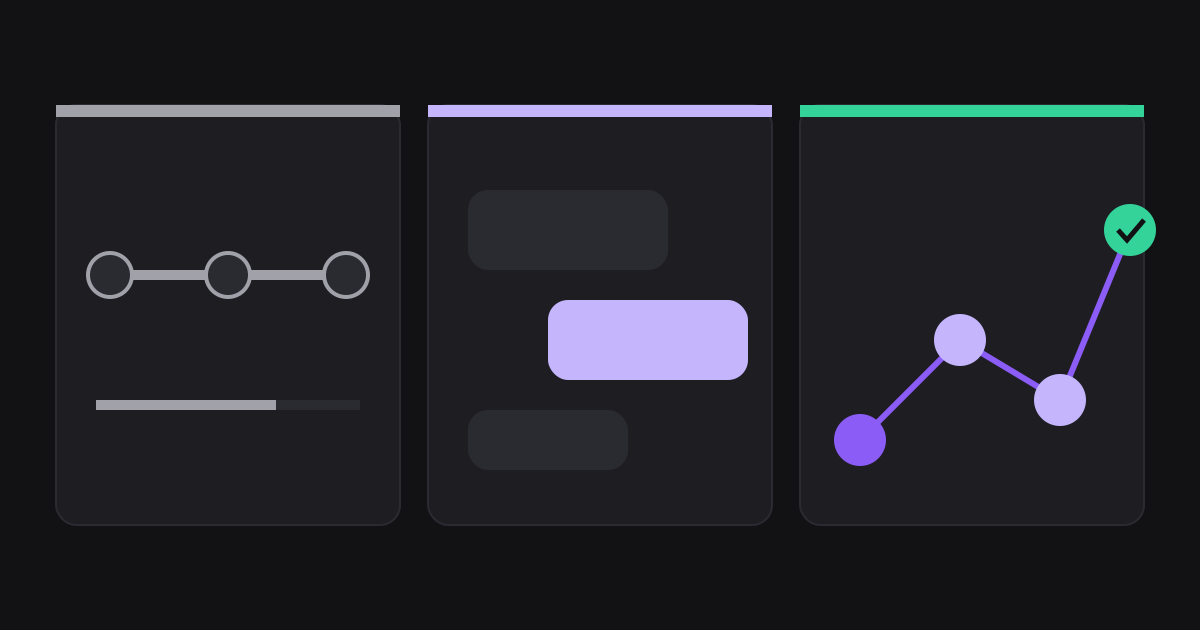
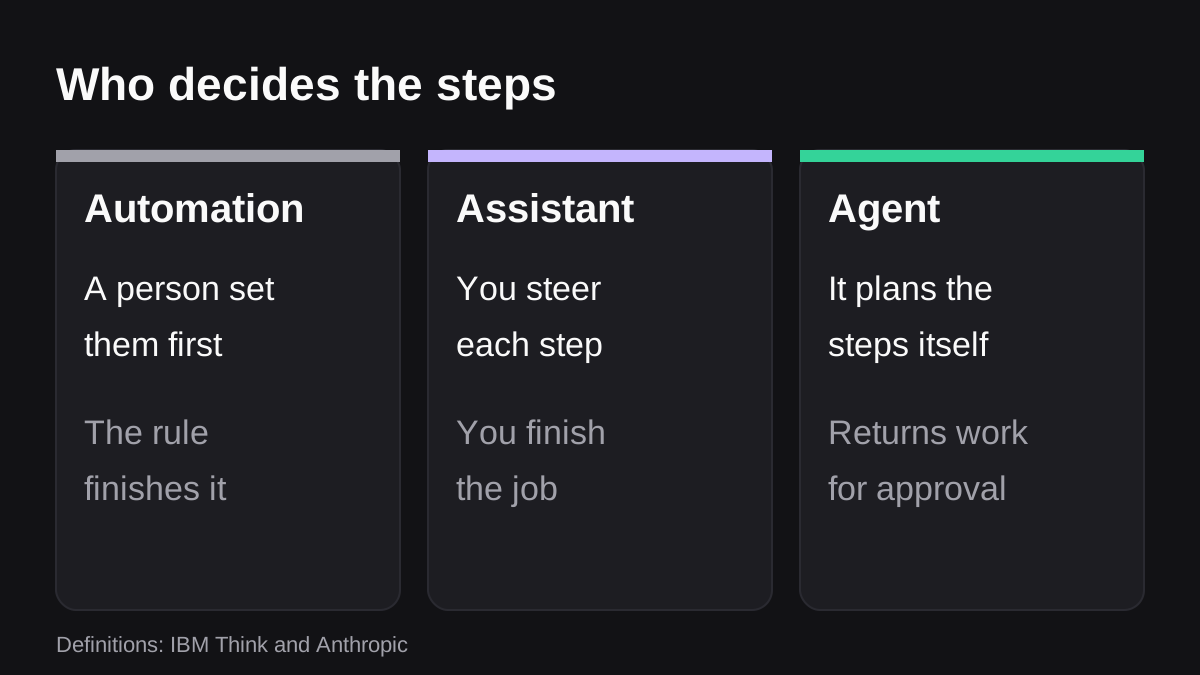
The difference between an AI agent, an AI assistant and an automation tool comes down to one question: who decides the steps? With an automation, a person decided them in advance. With an AI assistant, you decide them as you go, one prompt at a time. With an AI agent, the software decides them to reach a goal you set. That is the working answer to "ai agent vs ai assistant", and it tells you which one to pick for a given job.
IBM draws the same line. It describes assistants as reactive, performing tasks at your request, and agents as primarily proactive, autonomously planning and taking actions to achieve a defined goal [1]. Automation sits beside both: a fixed set of rules that runs the same way each time.
Most teams need all three. This guide explains each in plain terms, compares them side by side, shows where the labels get abused, and gives you a short test for choosing. It is general information, not security or legal advice.
What is an AI assistant?
An AI assistant answers when you ask. You type a request, it replies with text, a summary, a draft or a suggestion, and then it waits for your next message.
IBM says assistants start from a user prompt and generally depend on your guidance through the whole task. They typically suggest actions and wait for your approval, and they can use tools, but only the predefined functions they were built for [1].
Typical assistant jobs:
- Summarize a long thread or a call transcript.
- Draft a reply to a customer for you to edit.
- Rewrite a paragraph, or explain a spreadsheet formula.
- Answer a question from a document you paste in.
The assistant never leaves the conversation. You are the one who copies the draft into your email, opens the CRM and clicks send. That is not a flaw. It is why assistants are low risk and easy to adopt. It is also why they save minutes, not hours.
What is an AI agent?
An AI agent is given a goal and works out the steps. It can choose which tools to call, in what order, and adjust when a result is not what it expected.
Anthropic puts the distinction precisely. Workflows are systems where language models and tools are orchestrated through predefined code paths. Agents are systems where the model dynamically directs its own process and tool use, keeping control over how it completes the task [2]. Slack describes agents in its developer documentation as autonomous, goal-oriented AI apps that can reason, use tools and keep context across conversations, going beyond simple question and answer bots by planning actions, calling external systems and iterating on results [3].
Microsoft's Copilot Studio documentation uses similar language. An agent follows your instructions, draws on the knowledge sources you connect, and uses tools to take action, reasoning through a request and deciding the best next step [5]. Some agents can be given their own account so they can work proactively on tasks such as onboarding a new employee or coordinating a recurring meeting [5].
A concrete example: you ask for "this week's pipeline report for the leadership channel". An agent reads the CRM, spots that two deals changed stage, pulls the context from the notes, writes the summary, builds the sheet and returns the finished report. You did not write those steps. The agent chose them.
What makes an agent harder to run
More freedom brings more cost and more ways to be wrong. Anthropic notes that agentic systems often trade latency and cost for better task performance, and that the autonomous nature of agents means higher costs and the potential for compounding errors [2]. It also recommends extensive testing in sandboxed environments, along with appropriate guardrails, and describes agents that pause for human feedback at checkpoints or when they hit blockers [2].
So an agent is not just a smarter assistant. It is a different operating model, and it needs rules about what it may touch.
What is an automation tool, and how is it different from an AI agent?
An automation tool runs a fixed sequence. When X happens, do Y, then Z. A person designed the sequence, tested it and put it in place. It does not decide anything new.
Slack's Workflow Builder is a good example. Slack describes it as a tool that helps you automate everyday tasks and processes, where the steps accomplish the tasks a workflow needs to complete. Workflows can run on a schedule, start from a shared link, or start from Slack actions such as an emoji reaction or someone joining a channel. To act in a third party service, you add a connector step and authenticate your account with that service [4].
Automation is excellent when the job is the same every time. It is predictable, cheap to run and easy to audit, because you can read the steps. It struggles when the input is messy: a field gets renamed, a customer writes in an unexpected way, or the report needs a judgment call about what matters this week.
Where the lines blur
The categories are not sealed boxes. Microsoft describes workflows in Copilot Studio where each step can reason and act, combining agents, tools and logic, so you get the predictability of automation with the flexibility of AI [5]. It also notes that a workflow can call an agent to complete a step [5]. Anthropic's advice is to find the simplest solution possible and only increase complexity when needed [2].
In practice, the best systems pair them: rules for the predictable frame, an agent for the part that needs reading and judgment.
AI agent vs AI assistant vs automation: a side by side comparison
Here is the comparison in one table. Each row reads on its own.
| Question | Automation | AI assistant | AI agent |
|---|---|---|---|
| Who decides the steps? | A person, in advance [2] | You, one prompt at a time [1] | The software, toward your goal [2] |
| What starts it? | A trigger or a schedule [4] | Your message [1] | A goal, then it keeps working after the first prompt [1] |
| What does it use? | The connectors you added [4] | Predefined functions [1] | Tools it chooses and combines [1] |
| Who finishes the job? | The rule runs to the end | You copy and send the output | It returns the finished work, ideally for approval |
| Best for | Identical, repeating steps | Drafting, summarizing, questions | Messy, multi step work across tools |
| Main risk | Breaks when data changes shape | Output is not checked or used | Cost, compounding errors, acting wrongly [2] |
Notice the row about who finishes the job. That is where most of the time is saved or lost. An assistant gives you a good first draft and leaves you the clicking. An agent that can read and act inside your tools can return something ready to review.
Which one does your team need?
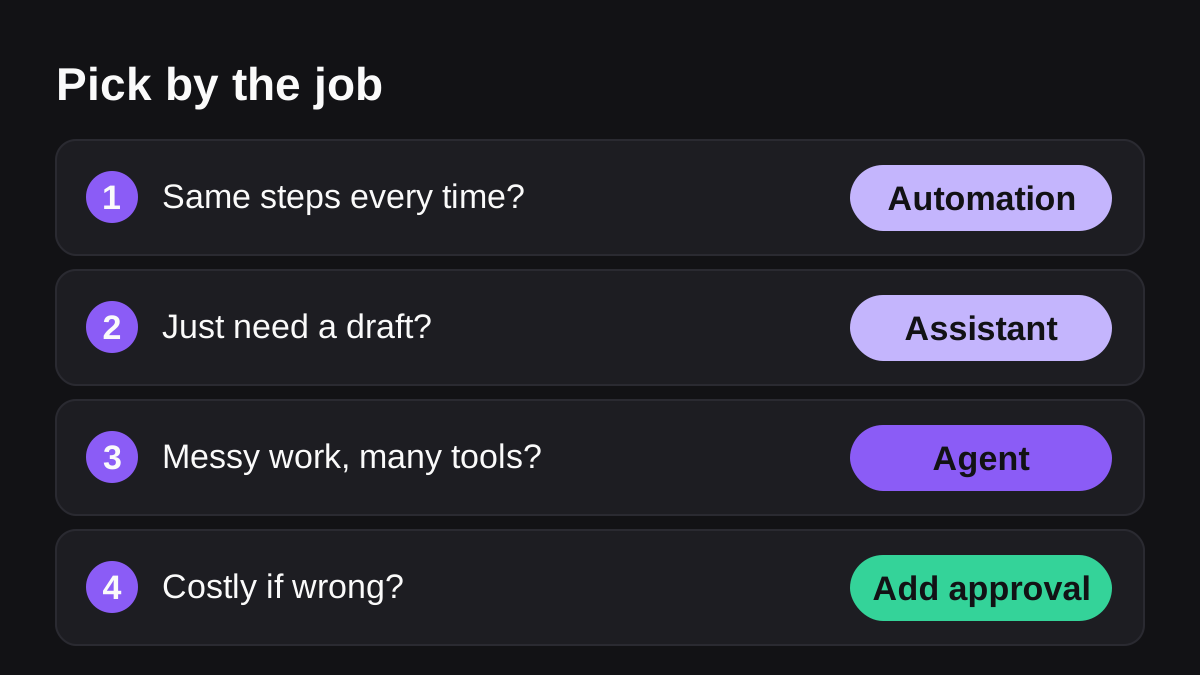
Start from the job, not the label. Ask these questions in order.
- Is the job identical every time? If the same inputs always lead to the same steps, use automation. A Slack workflow that posts a reminder every Friday does not need an AI model.
- Do you only need help thinking or writing? If a person will do the final action anyway, an assistant is enough. Drafting, summarizing and answering questions fit here.
- Does the job cross tools and change from run to run? Building a pipeline report, chasing overdue invoices or triaging tickets means reading several systems and handling surprises. That is agent territory.
- Is a mistake costly or hard to undo? Then whichever you choose needs a person's approval before anything leaves the company, and a log of what happened.
Examples by team
- Sales and RevOps. A rule that creates a task when a deal moves stage is automation. Asking an assistant to polish an email is assisted writing. Asking an agent to prepare Monday's pipeline report from live CRM data is agent work.
- Finance. A scheduled reminder to submit expenses is automation. An agent can gather the month's figures, flag mismatches for a human decision and prepare the pack.
- Support. A routing rule by keyword is automation. Drafting a reply for review is an assistant. Reading tickets, tagging them, routing them and drafting responses is an agent job.
What is "agent washing", and how do you spot it?
Because "agent" is a popular label, some products wear it without earning it. A chatbot with a new name is still a chatbot. An older rules tool with a language model bolted on is still mostly rules.
You can test any product with five questions:
- Give it a real goal, not a prompt. Does it plan its own steps, or does it ask you what to do next?
- What can it read? Which of your tools does it connect to, and with what permissions?
- What can it change? Can it write to live systems, send messages or post to channels?
- What needs approval? Which actions pause for a person, and who can approve?
- Can you see the log? Can you read and export every request, draft, approval and action?
Slack's own guidance on agents mentions design practices around trust, transparency and bounded autonomy [3]. That is a good standard to hold any vendor to. If the answers are vague, the label is marketing.
How do you keep an AI agent under control?
The more an AI can do on its own, the more the controls matter. The assistant sits in a chat window, so its worst outcome is a bad draft you did not send. An agent that can write to your CRM or email customers needs rules.
Four controls cover most of the risk:
- Least access. Connect only the tools the job needs, read access first.
- Approval gates. Anything sensitive, such as sending outside the company or changing live data, waits for a named person.
- Stopping rules. Anthropic points out that stopping conditions, such as a maximum number of iterations, help maintain control [2].
- A record. Keep a log of what was read, drafted, approved and done.
The NIST AI Risk Management Framework is a voluntary framework for managing the risks AI poses to individuals, organizations and society, and it aims to help build trustworthiness into how AI systems are designed, used and evaluated [6]. You do not need to adopt it in full to borrow its question: who decides what the AI may do?
Wopie is built around this idea. It is an AI employee you brief in a Slack or Microsoft Teams channel: it reads your connected tools, produces the finished work and pauses anything sensitive for a person to approve. The approval gates and audit trail apply to every job. If you want the full picture of the category first, read what an AI employee is and how it differs from a chatbot.
Which tool is wrong for which job?
Honesty saves money. A few cases where the fancier option is the wrong one:
- Use automation, not an agent, when the steps never change. It is cheaper and every step can be read [2][4].
- Use an assistant, not an agent, when you want to stay in the loop on every step, for example for sensitive writing.
- Use a person, not any of them, for decisions about hiring, pay, legal positions and tax filings. AI can prepare the material, not make the call.
- Do not start with the most autonomous option. Anthropic's advice is to find the simplest solution possible [2]. Add an agent when a simpler tool clearly falls short.
What to do next
- List five recurring tasks that eat the most hours on your team each week.
- For each, decide: identical every time (automation), thinking help only (assistant) or messy work across tools (agent).
- Fix the automation candidates first. They are the cheapest wins.
- For the agent candidates, choose one with an output you can check in minutes, such as a weekly report.
- Decide in advance what the agent may do alone and what needs sign off.
- Review the first four weeks of its work before you give it anything bigger.
- Compare costs on the pricing page before you commit, and look at the product overview to see what finished work looks like.
Hand Wopie the job that eats your week.
Delegate it in a channel. Wopie gathers the context, does the work and waits for your approval. The first $100 of work is on us.
Get started freeSources
- [1]AI Agents vs. AI Assistants · IBM Think · accessed Oct 12, 2026
- [2]Building effective agents · Anthropic · accessed Oct 12, 2026
- [3]AI in Slack · Slack developer documentation · accessed Oct 12, 2026
- [4]Guide to Slack Workflow Builder · Slack Help Center · accessed Oct 12, 2026
- [5]Overview - Microsoft Copilot Studio · Microsoft Learn · accessed Oct 12, 2026
- [6]AI Risk Management Framework · National Institute of Standards and Technology (NIST) · accessed Oct 12, 2026